Contact
‘Sup
Clients
Portfolio
About
Home
Light Dropper  •  Light Dropper

BUILDING THE 3D CONFIGURATOR THE WEB WAS MISSING

Whether designing a dream wedding ring, building a car, or commissioning bespoke furniture, we use product configurators every day. But are they serving everyone? By reimagining the digital experience, this tool pushes the limits of what a configurator can be, and who its for—creating a more effective way for everyone to create online.
3 people icon
Client: Light Dropper
3 rectangular shapes
Project Type: Web App, Website
1 person with 4 curved lines surrounding
My Role: UX, UI, Dev.
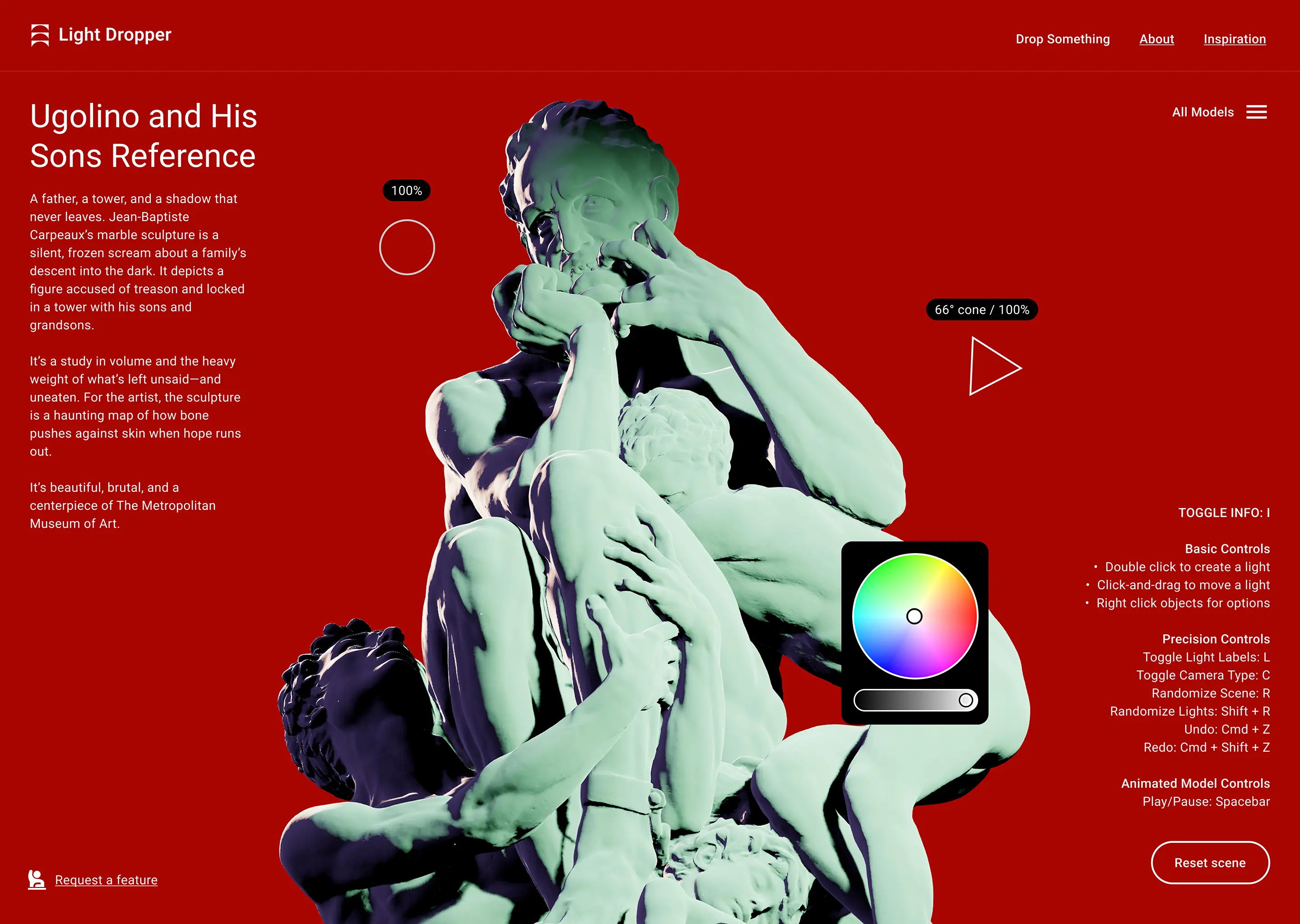
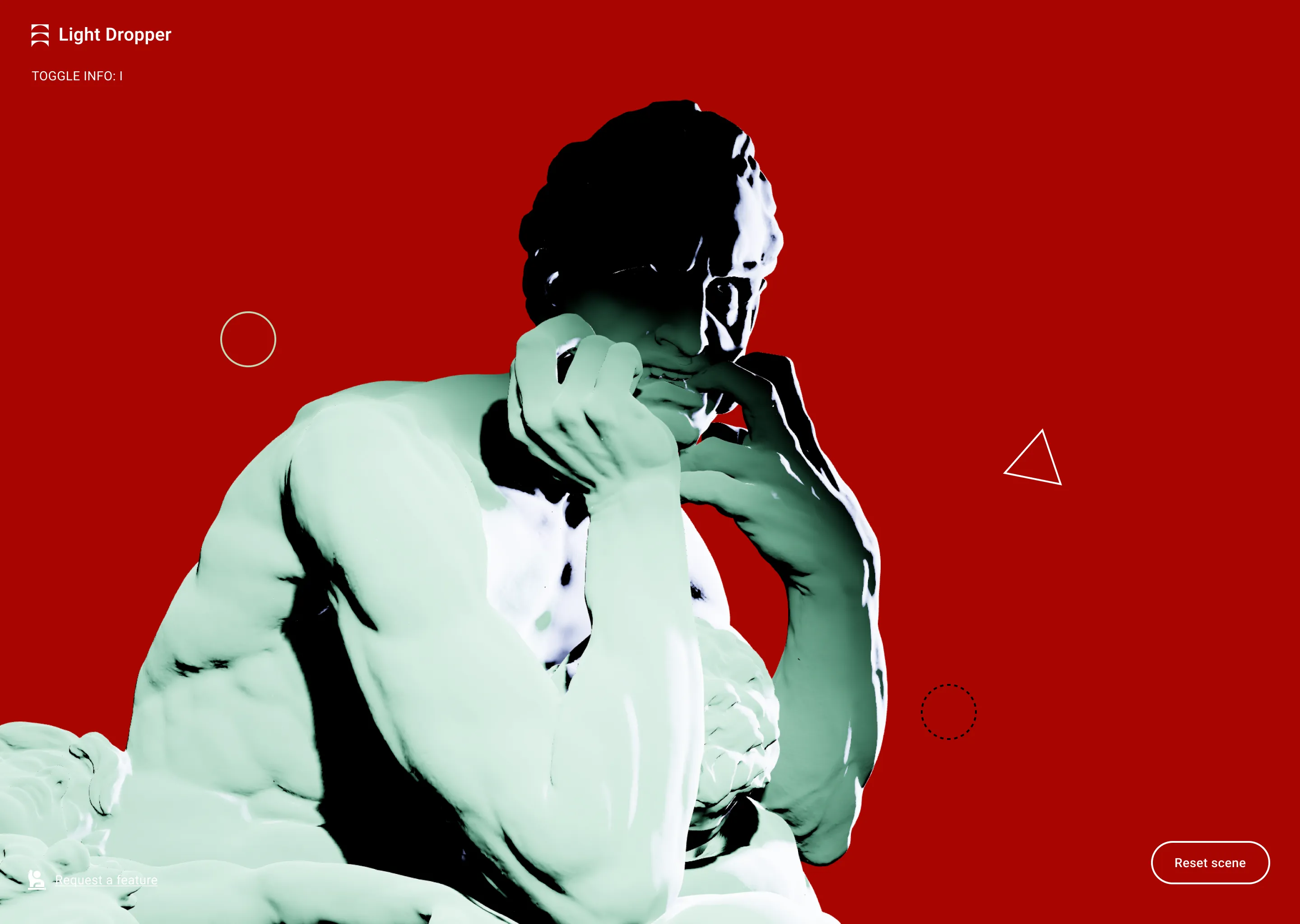
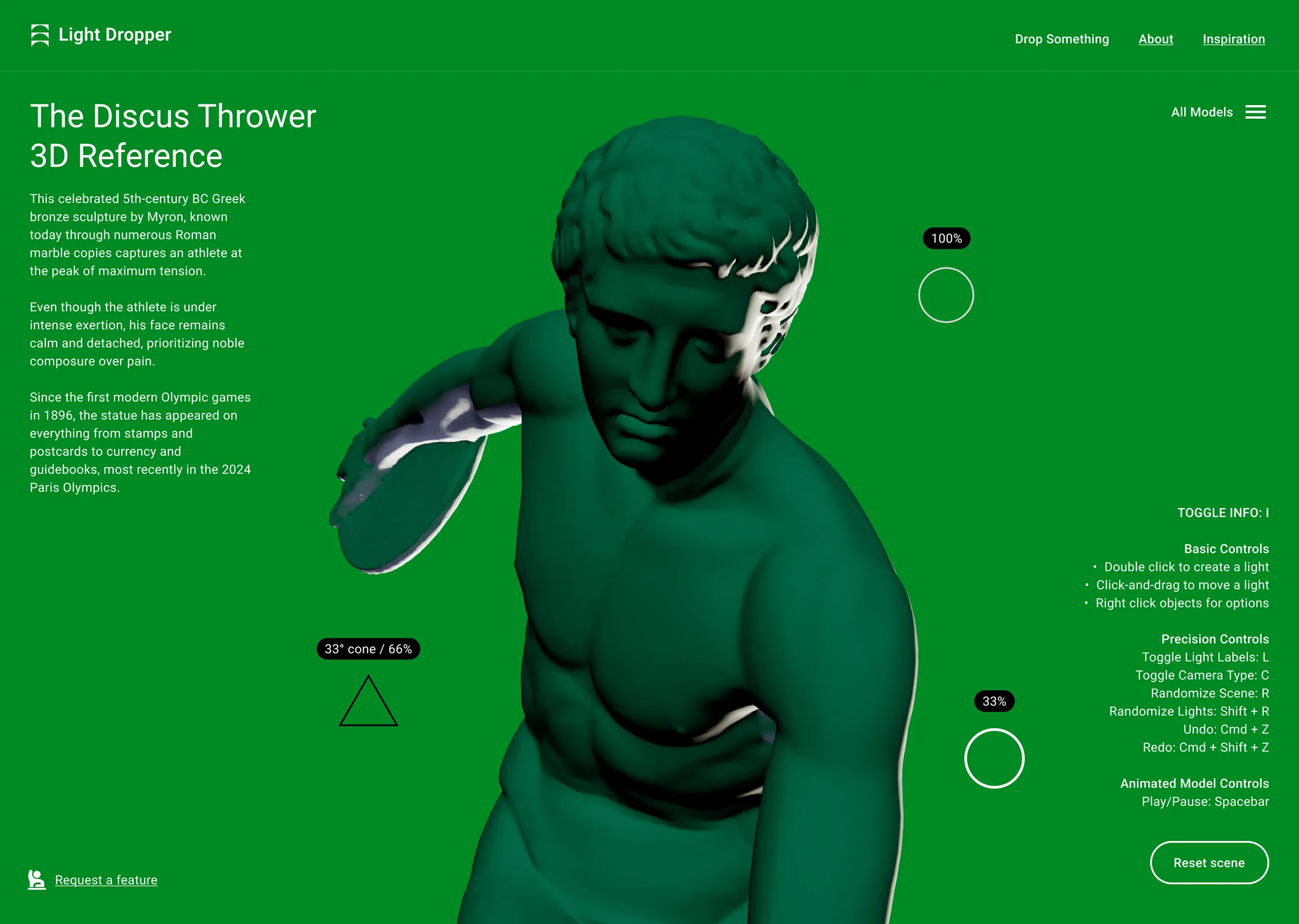
Interface for a 3D lighting tool featuring a teal-lit sculpture on red. Includes light intensity markers, a color picker, and a panel of precision keyboard shortcuts.

CHALLENGE AND RESULTS

Meeting market need with Light Dropper
From e-commerce to education, light is often left out of the configurator equation. Given its impact on an object’s look and a user’s mood, this overlooked variable has real utility and cost effects. I applied my design experience with enterprise configurators to build Light Dropper, a dedicated 3D lighting reference tool. Early use cases have already validated the MVP and provided the roadmap for the high-fidelity evolution shown here.
A conceptual graphic of a lightbulb with 3D axis arrows, representing the translation of physical light sources into digital coordinates within the tool.
A creator at an easel looks toward an unseen monitor, using a digitally generated lighting setup from the 3D application as a reference for their physical painting.
Securing rapid adoption
With 88% of users abandoning poor digital experiences, retention is the foundation of traction. By removing early friction I ensured the MVP captured attention and drove immediate adoption in the consumer art and design segment.
Leveraged behavioral psychology
Replacing an open feedback form with targeted choices solved the blank page problem. This simple application of behavioral psychology increased actionable submissions by ~300% and provided helpful data for the next iteration.
Streamlined the tech stack
Bypassed complex native builds by pairing AI tools with modern browser capabilities. This agnostic web strategy slashed development timelines and saved budget while delivering an accessible tool that works from almost anywhere.

THE TOTAL ADDRESSABLE MARKET

Advertising and marketing utility, and beyond
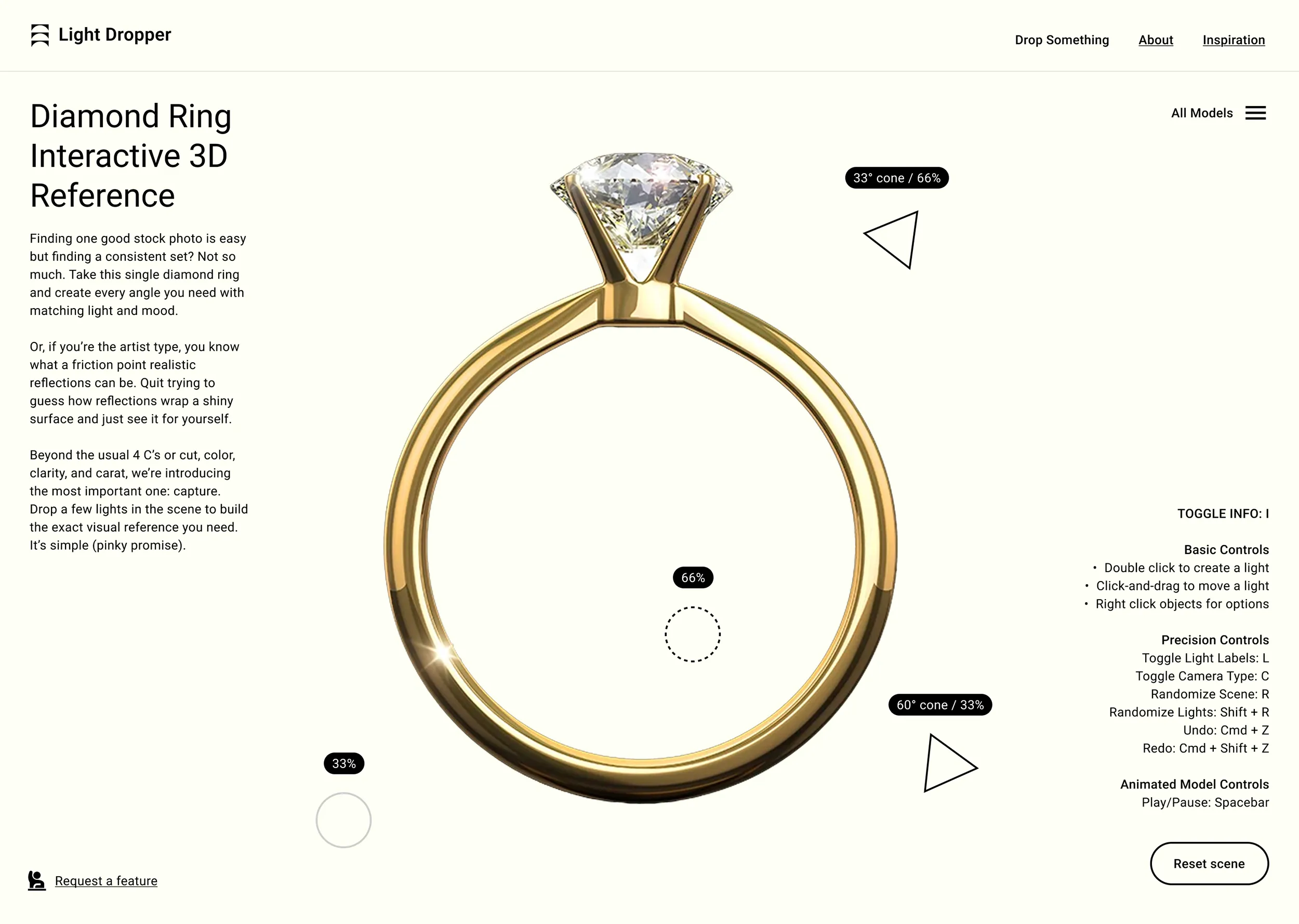
I’m not building a legacy configurator for part-swapping. I’m creating a new category of tool and this commercial use case is just one example. Users can control everything from a light’s type to its shape, color, brightness, and position, making professional setups like rim and three-point lighting dead simple. Even if only for pre-visualization, any stakeholder can light a product, angle it, and drop it into a campaign like a pro.
3D viewport of a gold diamond ring. UI markers demonstrate how marketers can use the tool to create professional product lighting and reflections for campaigns.
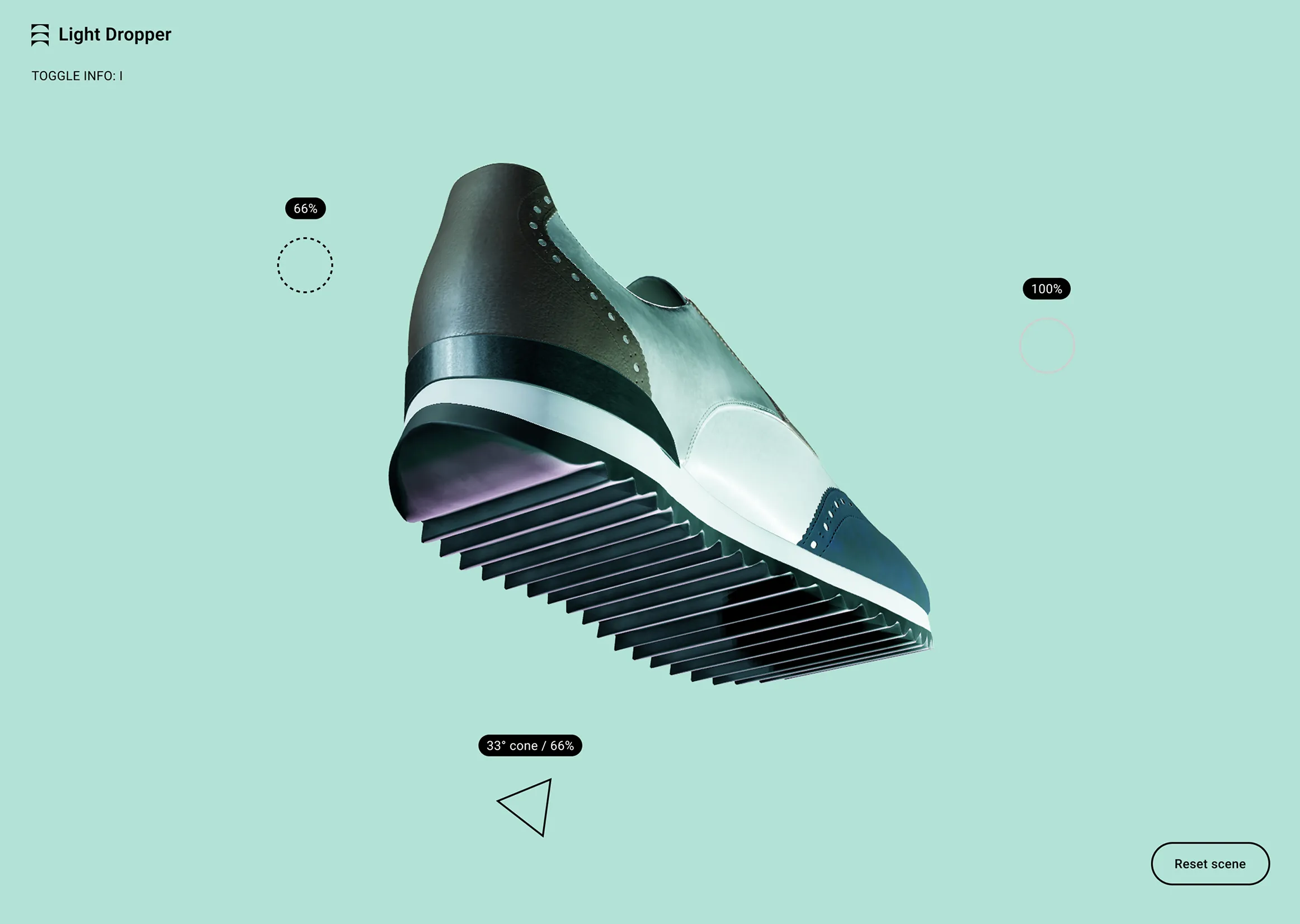
Modern sneaker with a layered ribbed sole, displayed against a light teal background with interface elements showing lighting and cone angle settings.
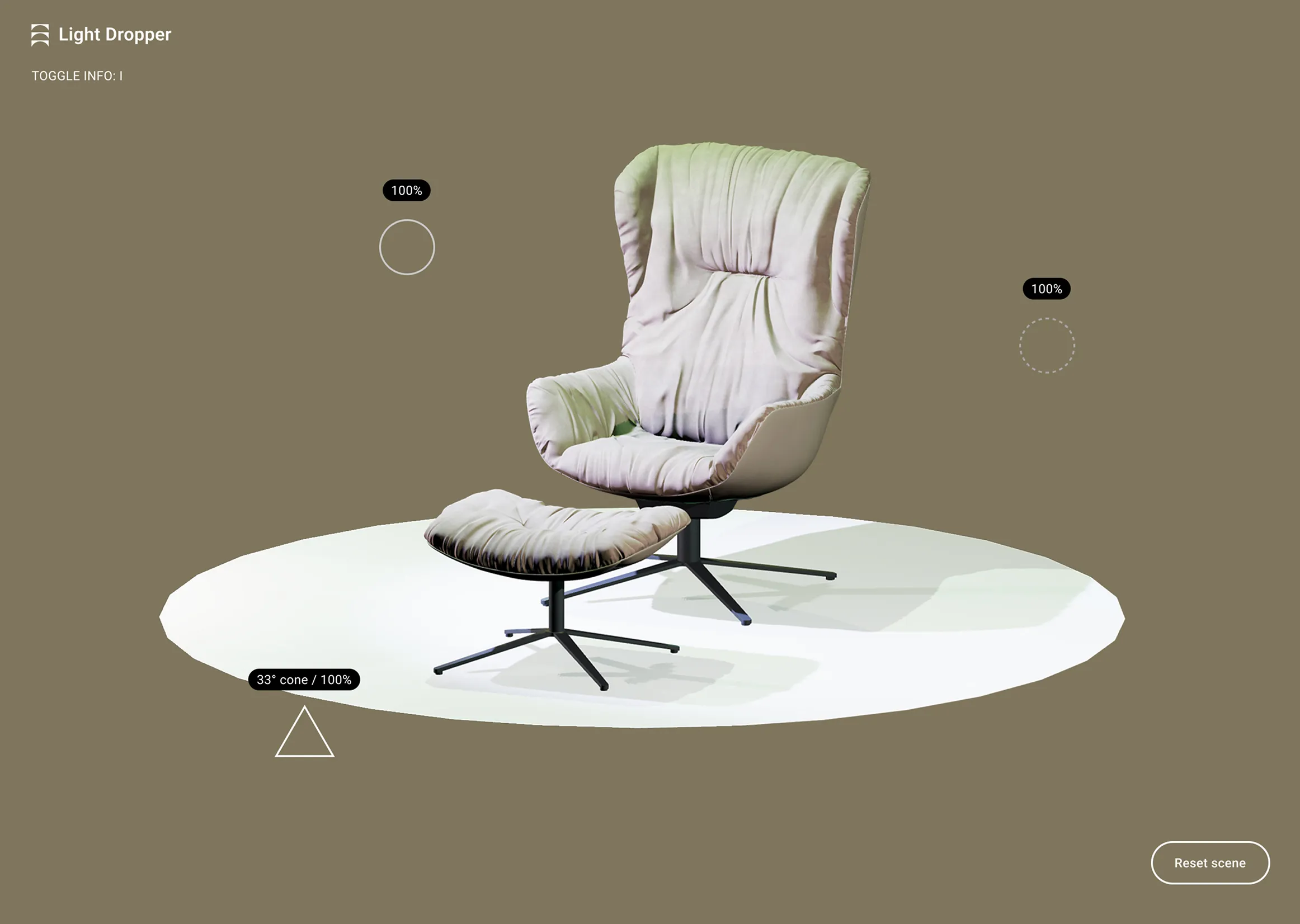
A 3D viewport of a modern lounge chair and ottoman. Interactive UI markers show three active light sources casting realistic highlights and shadows.

filling the art and design void

The next use case moves into the demanding world of professional art and design. While existing tools handle composition, they leave artists in the dark when it comes to lighting. Mapping how shadows wrap a complex form is a top-of-mind friction point for painters, illustrators, and other creators. Instead of searching for hours for the perfect reference, Light Dropper offers a solution on demand so artists can generate the exact visual reference they need.
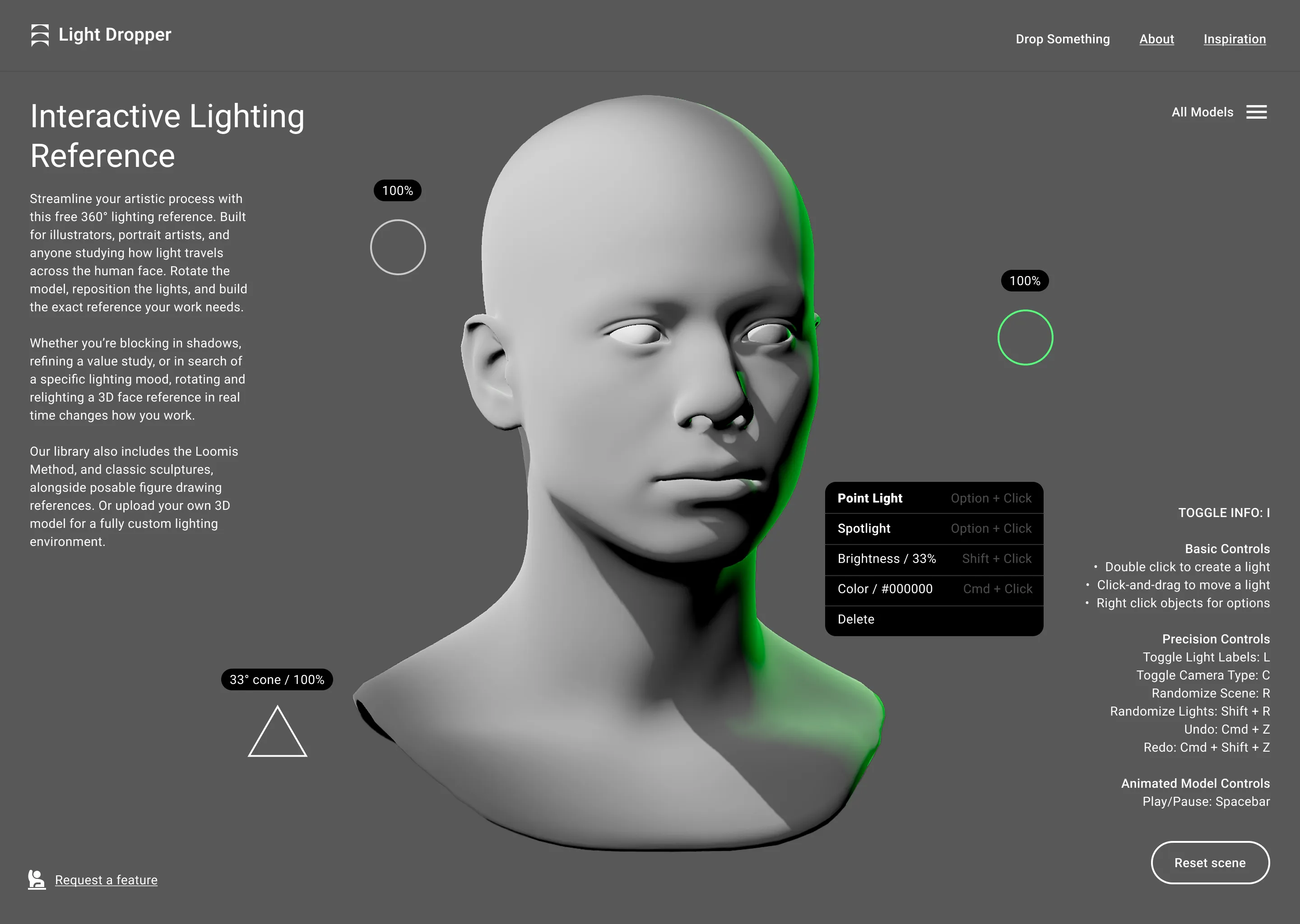
Interactive 3D low-poly human head model with adjustable lighting controls on a dark gray background and instructions for use.

Lighting the way for institutions

From museum curation to the student’s drawing board, Light Dropper fills an unmet need. Curators can digitally stress-test exhibit lighting long before a physical installation. This same technology then serves the students who roam those museum halls. It bridges the gap between observing a master’s work and replicating its lighting in their own. By plugging classic lessons into a digital workflow, high-end lighting studies become accessible from anywhere.

A CLOSER LOOK AT THE UI OF LIGHT AS A UTILITY

Two art curators discuss an exhibition in a dimly lit museum.

Proving the model with art and design first

Configurators that focus on composition alone exist, but their lighting features are rarely more than an afterthought. On top of that, the UX and UI usually lack polish. This happens when technical tools are built without a user-first mindset. I chose to target the art and design market first because they care deeply about visual control and workflow, and the data further down backs that up. They want a professional tool, and that’s exactly what I’m building.
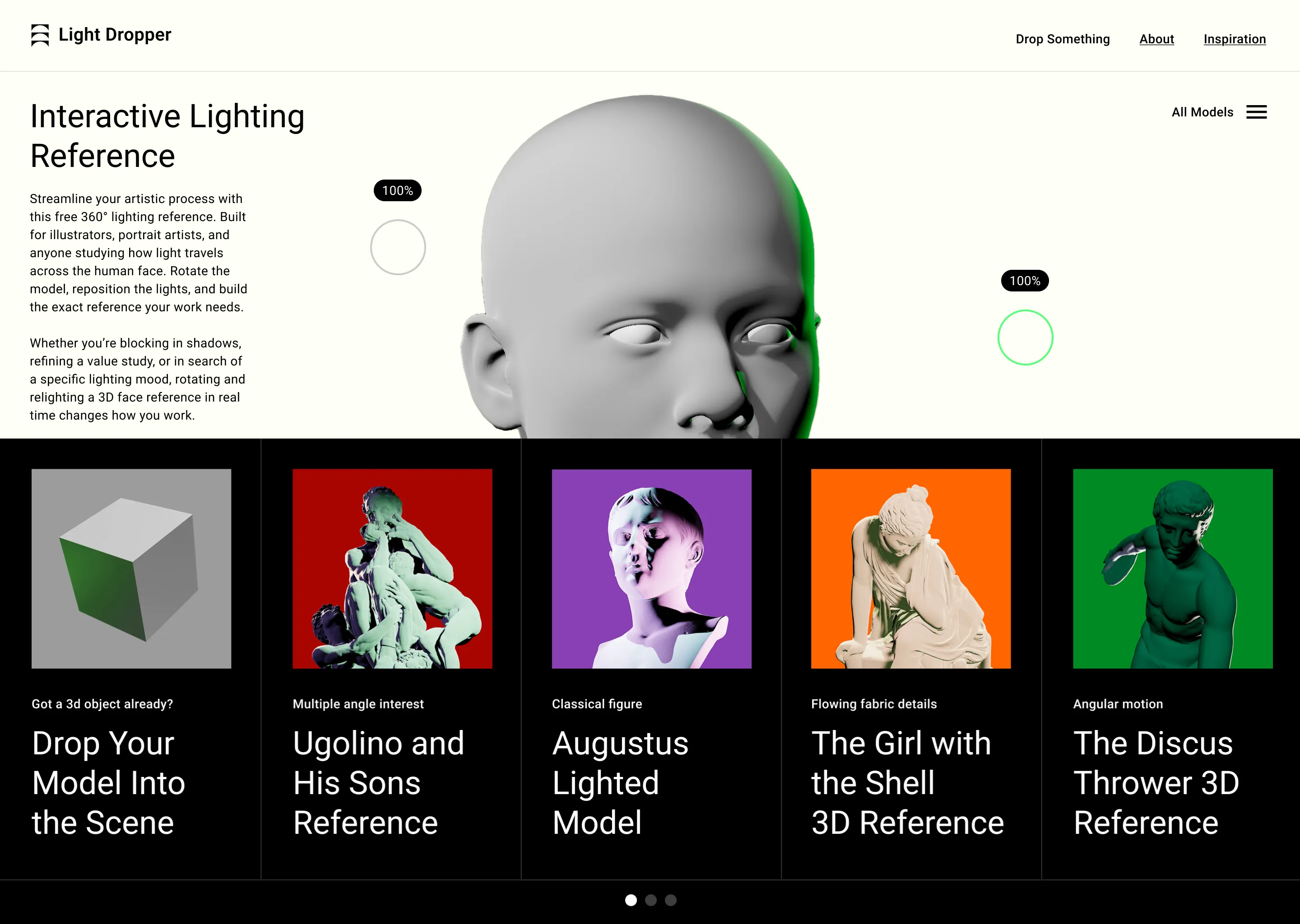
A grid of thumbnails in a dark drop down menu shows various sculptures with brightly colored background.
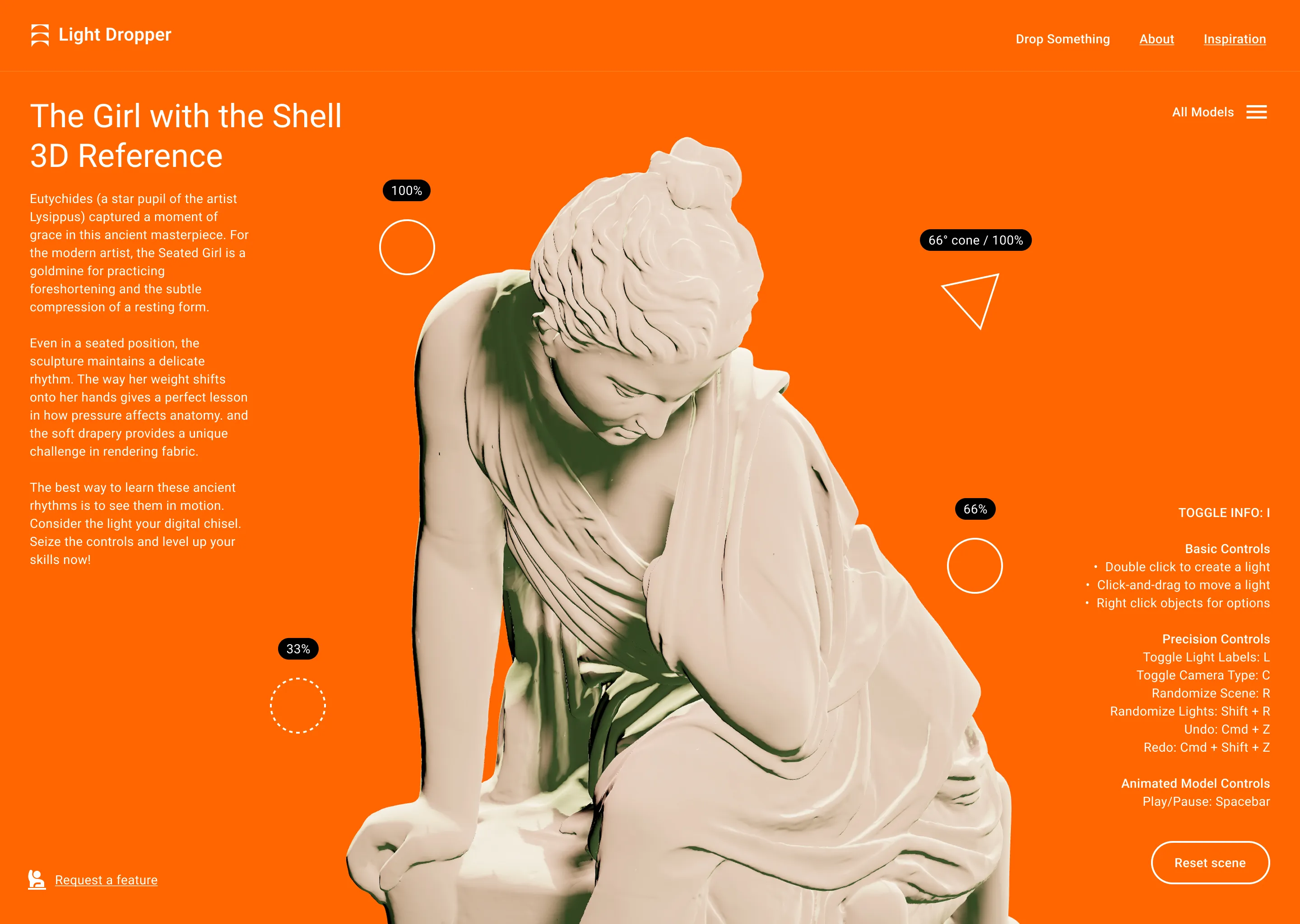
UI for a classical 3D sculpture reference on a vibrant orange background.
User interface with the Discus Thrower sculpture against a green background.

SEEING THE SIGNALS THAT MATTER

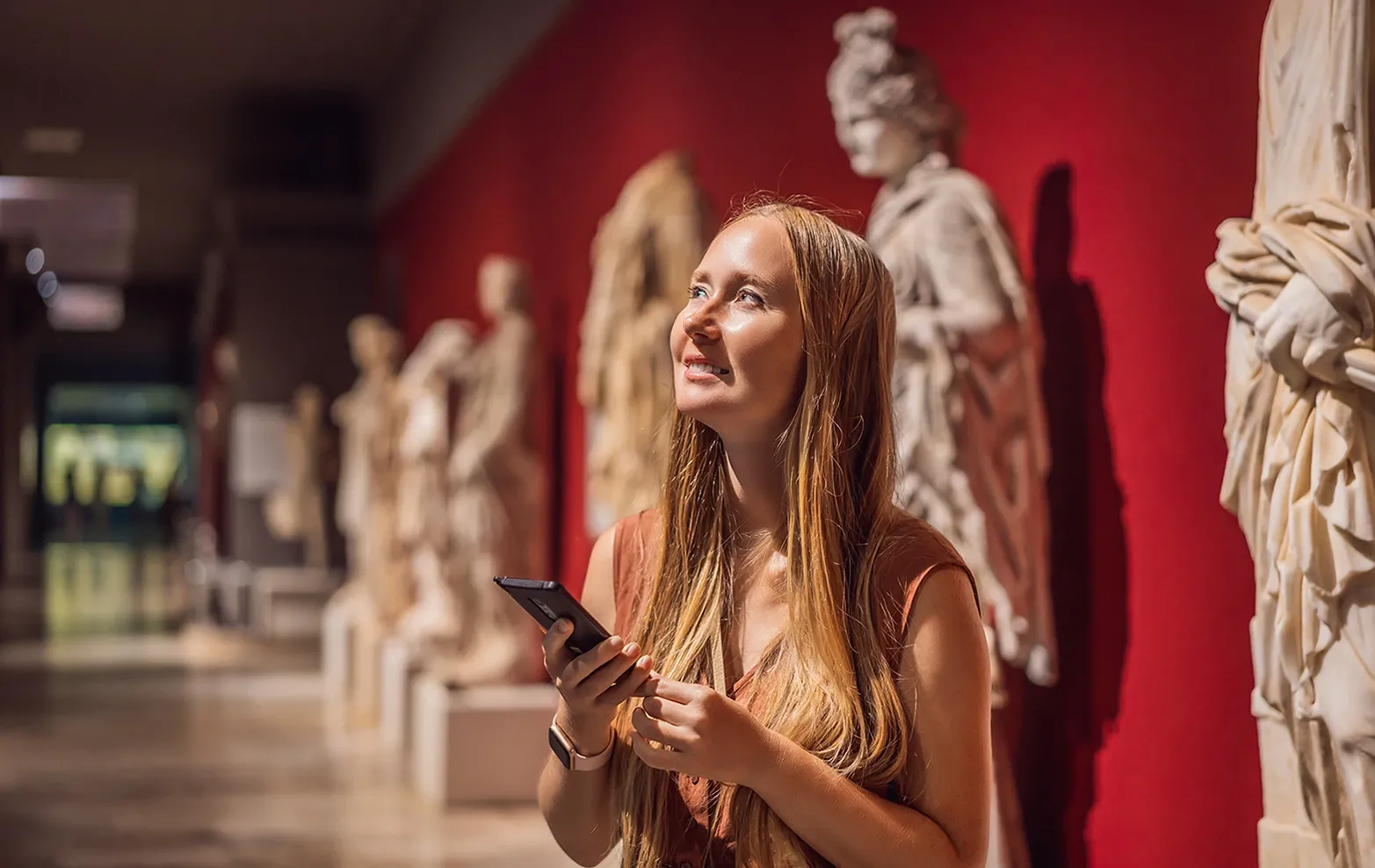
A museum visitor with a phone smiles at classical sculptures on a red wall.

A/B tests, Analytics, and more

With any product experience, collecting qualitative and quantitative feedback is necessary to get a holistic understanding of what’s working and what’s not. I initially included an open-ended feedback form tucked in the corner. While some early responses were encouraging, the ratio of traffic to actual submissions was low. I realized a core user experience heuristic was at issue: the blank page problem.
By switching to predefined questions, I removed that friction and saw feedback volume increase ~300%. However, some highly requested features implemented were rarely used. This process serves as an ongoing reminder that users can’t always predict their own needs. I’ve learned to balance direct feedback with hard analytics and my own intuition to decide what actually makes the cut.
Two overlapping UI cards displaying feature request poll results with percentage bars, demonstrating a data-driven approach to product iteration and prioritization.
Note: The metrics shown above have been randomized for privacy.

PUSHING THE LIMITS OF THE BROWSER AND AI

Choosing the right path to market
It’s baffling how often designers default to the most complex solutions first. As AI empowers us to build what we weren’t capable of before, real expertise isn’t being able to build everything, it’s understanding what to build in the first place.

I chose to lean on the modern browser to make Light Dropper a reality. Adding and moving lights, changing colors, and shifting cameras all happen right in the browser. This web-driven strategy slashes the friction of software downloads and solves for cross-platform distribution. Guided by my design expertise, I bridged the gap using Figma, the Pro versions of Gemini and ChatGPT, and Webflow.
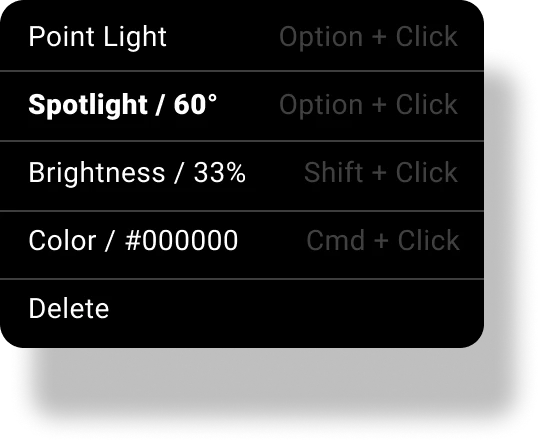
A dark-themed context menu showing settings for type, angle, brightness, and hex codes, each paired with mouse and keyboard shortcuts.
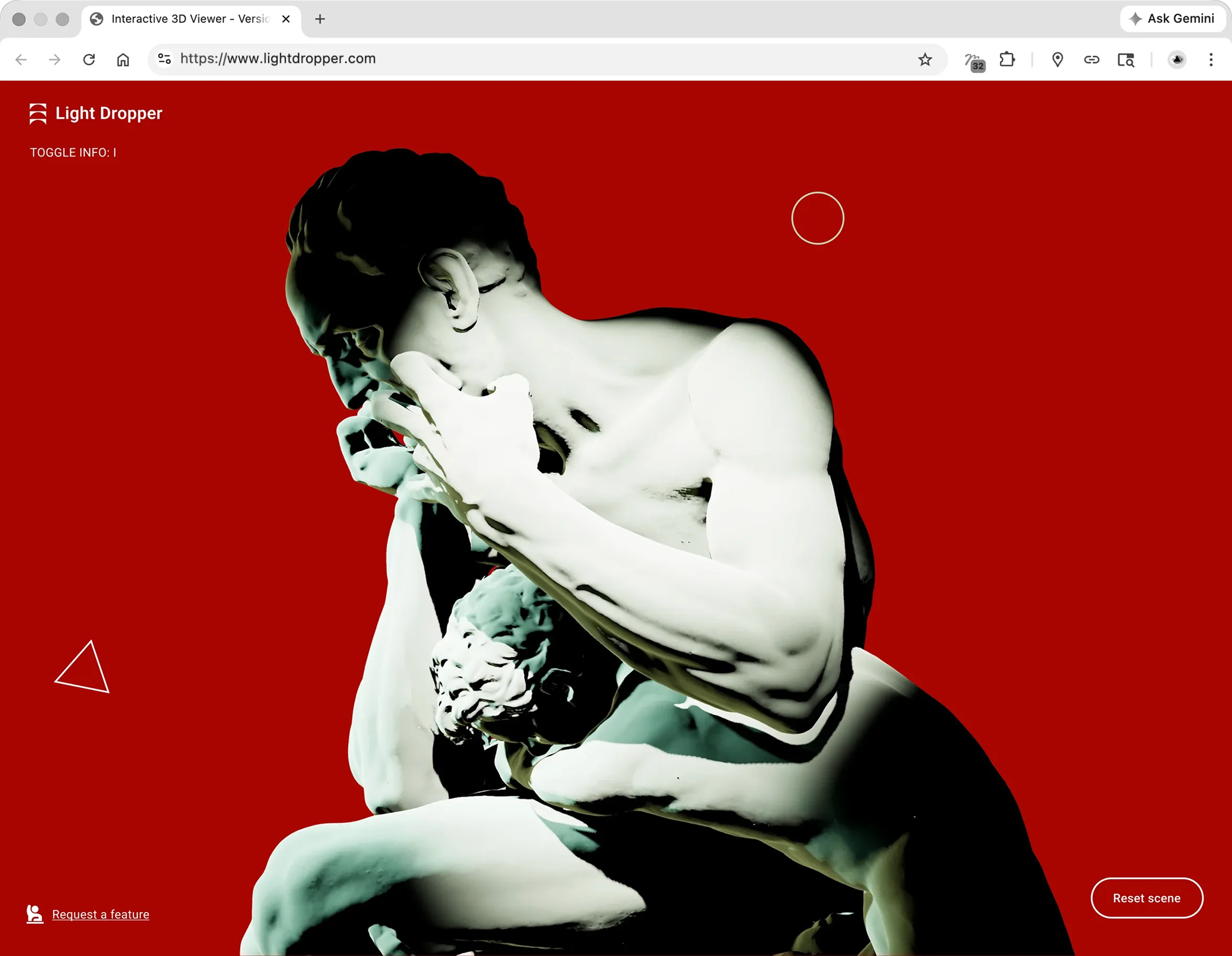
A desktop browser window running the 3D tool. It shows a starkly lit sculpture on red, proving complex 3D rendering is possible natively in-browser without downloads.

Prioritizing progress over a perfect start

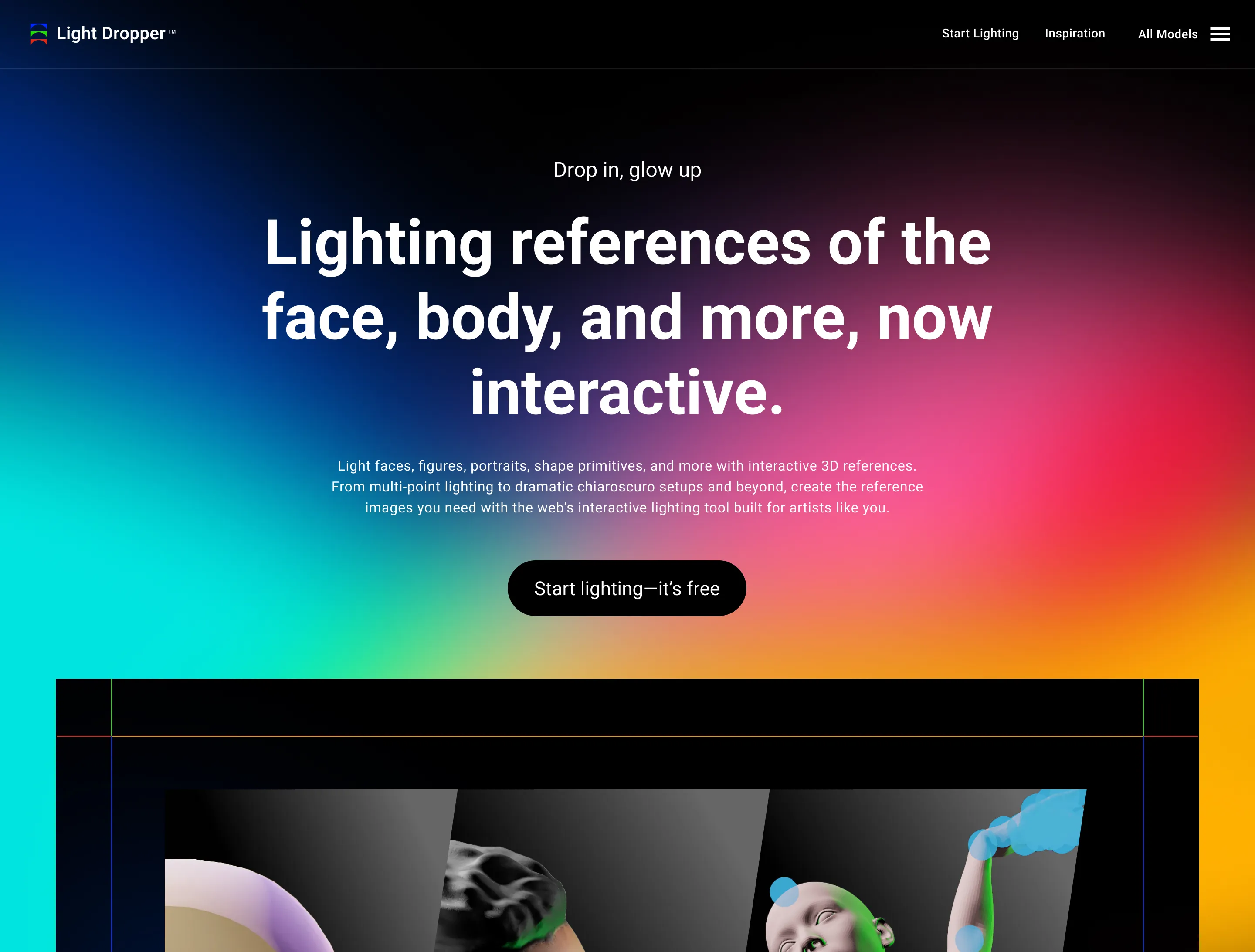
The goal of product design is solving problems in the simplest effective way possible, even at scale. Sometimes that means building a focused experience first before you try to scale up. The minimum viable product was built on that exact premise. Version 2, which you just previewed, is coming soon. This MVP approach is exactly how I can take your project from idea to impressions too.
Coming soon page design with gradient background, text about the tool, geometric shapes, and a sign-up form for updates with name, email, and profession fields.

VIEW THE LAUCH WEBSITE

Case Study

Up Next

B2B/B2C